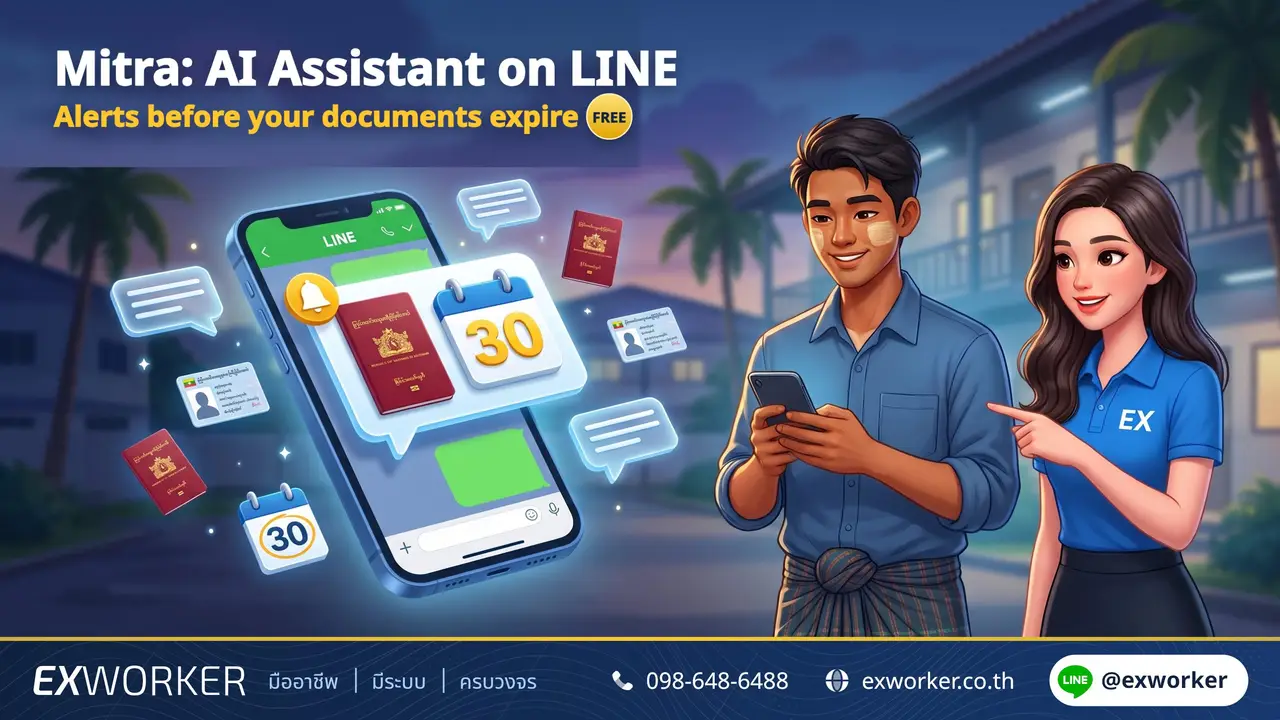
Mitra is an AI assistant on LINE for Myanmar, Lao, Cambodian, and Vietnamese workers. Add LINE @mitra and take a photo of your passport, visa, or Work Permit to save it. Mitra will alert you in your own language before your documents expire and answer questions about documents and labor rights 24/7 (currently answers questions in Myanmar, Lao, and Vietnamese).
Free to use, no registration, and no app installation required. Employers and brokers cannot see your information.
The Exworker team wrote this article based on the live Mitra system. Information verified on 20 Nov 2026.
How Can Mitra Help Workers?
The most common problem our team sees is that workers do not know when their documents expire because the physical booklets are often kept by employers or brokers. By the time they find out, they have already overstayed. Mitra closes this gap in 4 ways:
Store Documents
Take a photo of your passport, CI, visa, or Work Permit. AI reads the expiry date for you to confirm. If you do not have the booklet on hand, you can select the date manually.
Expiry Alerts
Sends alert messages in your own language, along with clear instructions on what to do next.
Answer Questions
Ask about visas, Work Permits, 90-day reporting, changing employers, and wages anytime (in Myanmar, Lao, and Vietnamese).
Request Document Services
Want someone to help renew your documents? Tap to request a service and Mitra will connect you with Exworker along with a request code.
How to Start Using Mitra
- Add LINE @mitra
Search for @mitra in the LINE app or tap this link on your mobile phone.
- Select Your Language
Myanmar, Lao, Khmer, Vietnamese, or Thai. The bottom menu will switch to your chosen language.
- Read and Give Consent
Mitra informs you upfront what data is stored and what is sent to AI to read. You can choose whether to use the AI feature or not.
- Add Your First Document
Tap "Add Document", choose the document type, and send a photo or select the expiry date manually.
There is no sign-up step, and no need to enter your name or phone number. You can use your existing LINE account right away.
Which Documents Does Mitra Alert You About, and When?
| Item | When Alerts Are Sent |
|---|---|
| Passport / CI · Visa · Work Permit · Pink Card nearing expiry | 90 · 60 · 30 · 7 days before expiry |
| 90-day reporting | 15 · 7 · 1 day before the due date |
| Overdue and not yet marked as completed | 1 more time on the following day |
Every alert message includes a "What to Do" button explaining the next steps, and a "Renewed" button to tap once you receive your new document. Afterward, send a photo of the new document or select the new date, and Mitra will restart the alert cycle for you.
Alert messages are sent only between 08:00–20:00 so you are not disturbed at night.
For Pink Cards and 90-day reporting, dates must currently be selected manually as photo reading is not yet supported.
What Can You Ask the AI?
You can type your questions in Myanmar, Lao, or Vietnamese (Khmer and Thai do not support AI Q&A yet, but can still be used normally to store documents, receive alerts, and request services), for example:
- My visa expires next month, what documents do I need to prepare?
- I want to change employers, within how many days must I do it?
- What is the daily minimum wage in Chonburi?
- What happens if I forget my 90-day reporting?
The AI answers from the Exworker team's knowledge base—the same set of information as the articles on this website—and cites the source of the answer. If the knowledge base does not have the answer, Mitra will honestly say it does not know instead of guessing, and tell you which agency to contact.
Questions the AI cannot answer are saved anonymously so the team can update the knowledge base to answer them next time.
Who Can See My Information?
- Employers and brokers cannot see anything at all. Employers do not have accounts in Mitra.
- No human reads your chats. Replies come from AI, not staff members.
- Document photos and messages are sent to Google's AI to read in order to extract dates and answer questions. Mitra informs you of this before asking for your consent.
- Documents only reach service providers if you choose to send them yourself. Nothing is ever sent to anyone automatically.
- Delete anytime. Delete individual documents or your entire account, and the data is permanently erased.
How to Request Document Services Through Mitra
Mitra does not process documents itself and does not accept payments. If you want assistance renewing a visa, Work Permit, 90-day reporting, or changing employers, tap "Request Service". Mitra will prepare a bilingual message with a request code and direct you to Exworker's LINE chat (@exworker). You tap send yourself when you are ready.
Service fees and procedures are arranged directly with the service provider. See service details on the Work Permit Renewal and Change Employer pages.
Want to Change Jobs? Tell Mitra
In the More menu, there is a "Want to Change Jobs / Switch Employer" button. Select your job type, location, and skills, then tap save. If a matching job becomes available, Mitra will notify you via LINE. If you change your mind, you can stop it anytime.
Before switching jobs, read about notifying a change of employer first, as there are strict deadlines you must meet.
What Mitra Cannot Do
- AI answers are not legal advice. For matters affecting your legal status, confirm with your Provincial Employment Office or call Hotline 1506, press 2.
- Does not submit documents to government agencies on your behalf. Alerts help ensure you do not forget, but you still need to renew documents yourself or hire a service provider.
- No human staff in the chat. For matters requiring a human representative, use the Request Service button.
- Changing LINE accounts = starting over. If you switch phones but keep the same LINE account, all your data remains intact.
For Employers: Can I Share This With My Workers?
Yes, and doing so helps prevent accidental document expirations that put both workers and employers at risk (read penalties for employers hiring illegal labor). However, please note that Mitra belongs solely to the worker; employers cannot view workers' data or document statuses through Mitra. If you need to track expiry dates for all workers in your company, see migrant worker expiry date groups.
Start using Mitra for free. Add LINE @mitra, choose your language, and add your first document in just a few minutes.
Frequently Asked Questions (FAQ)
Does Mitra cost money?
No, using Mitra is completely free. If you request document services, fees are agreed upon directly with the service provider and are never paid through Mitra.
Will my employer know that I use Mitra?
No. Employers do not have accounts in Mitra and cannot see your documents, chats, or service requests.
Can I use it if I do not have my passport with me?
Yes. You can select the expiry date manually without uploading a photo, and Mitra will still send alerts the exact same way.
Which languages are supported?
Menus and alert messages are available in 5 languages: Myanmar, Lao, Khmer, Vietnamese, and Thai. AI Q&A is currently available in Myanmar, Lao, and Vietnamese. Myanmar text supports both Unicode and Zawgyi fonts.
How is Mitra different from Nong Ex?
Nong Ex answers questions on this website and is geared toward employers and HR teams. Mitra lives on LINE and is built specifically for workers to chat in their native language, store documents, and receive personal expiry alerts.
How do I delete all my data?
Open the My Data menu in Mitra and tap Delete Account. All your documents, photos, chats, and alerts will be deleted.
References
- Mitra System (LINE @mitra) — Live features and privacy rules, verified 20 Nov 2026
- Department of Employment Hotline 1506, press 2 — For confirming matters affecting worker legal status
Information verified as of 20 November 2026 · Mitra features may be added or updated in the future


Comments
0 commentsNo comments yet
Leave a comment
Every comment is reviewed before it appears.