
e-Work Permit data not found: causes and fixes
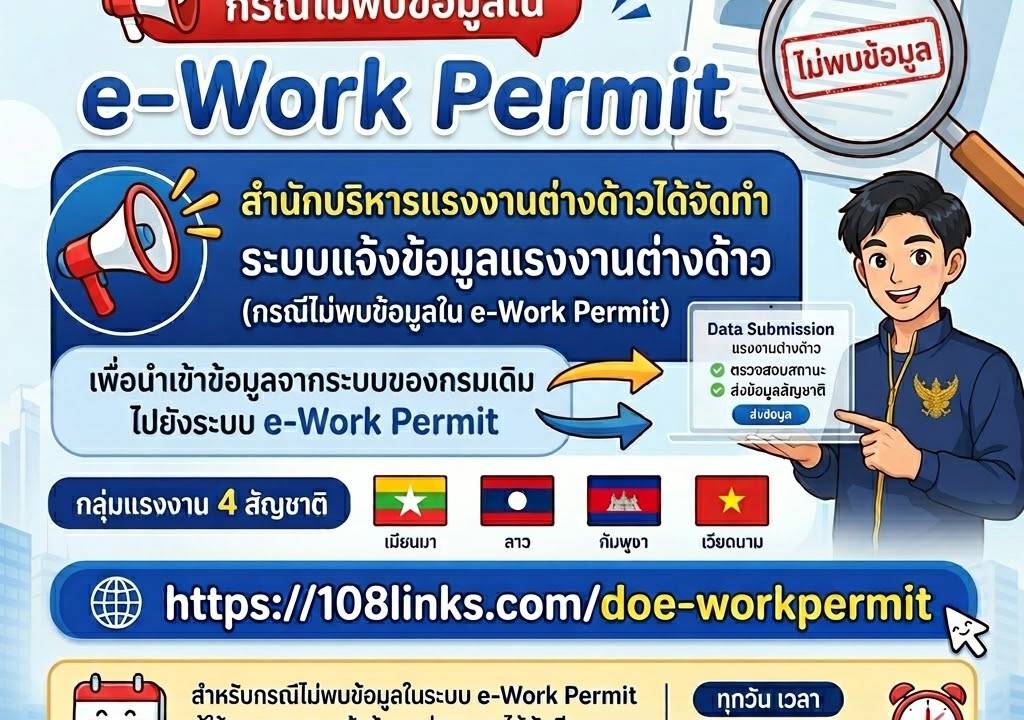
"Migrant worker data not found" in e-Work Permit? Common causes: wrong document numbers or incomplete filings, and what to check before calling an officer.
Submitting a request via the e-Work Permit system and the screen displays "No data found" almost every time does not mean the migrant worker has fallen out of the system. It is often due to information entered not matching what is recorded, or the information has not yet been saved into the system. This article details each cause, along with what to do before contacting an officer.
If you want an overview of the entire system, not just this symptom, read Common e-WorkPermit System Problems for Employers of Migrant Workers
What Causes 'No Data Found' in the e-Work Permit System?
Using the e-Work Permit system to manage migrant workers' work permits is a routine task for employers and HR. However, sometimes the system displays "No data found in the system," which causes significant concern, especially if the permit's expiration date is approaching. Common causes are as follows:
- Incorrect Data Entry — This is the most common cause, such as an incorrect ID card number, passport number, work permit number, or other personal information, even a single character.
- System Under Maintenance or Technical Glitch — At certain times, the system is undergoing maintenance, temporarily preventing data display.
- Data Not Yet Saved into the System — After submitting a request, the data may still be under review and processing, so it does not appear immediately.
- Incomplete Request — Documents or information submitted are not complete according to requirements, so the request is not processed further and data does not enter the system.
- Incorrect User Account Type — Employer, migrant worker, and authorized representative accounts are different. Logging into the wrong account will not show the desired information.
- Name Spelling Mismatch — Names of Myanmar, Lao, Cambodian, and Vietnamese migrant workers can be transliterated in multiple ways. If transliterated differently, the system immediately considers them different individuals.
What to Do When 'No Data Found' in the e-Work Permit System
When encountering this problem, do not rush to submit a new request, as it often leads to duplicate applications that slow down the process. Instead, follow these steps in order:
1. Thoroughly Check Basic Information
- Check Document Numbers — Verify the ID card number, passport number, or work permit number against the actual document, character by character, not from memory.
- Check Personal Information — Verify if the migrant worker's and employer's full name and date of birth match what was previously submitted, using the spelling on the passport as the original.
- Check Application Status — If recently submitted, wait a while and check again, or check using the receipt and submission evidence.
- Check if the Correct Account Type is Used — Was this submitted using an employer account, migrant worker account, or authorized representative account?
2. Contact Relevant Agencies
If, after checking, you still cannot find the information, you should contact the responsible agency directly.
- Department of Employment Hotline Call 1506 or 1694 to inquire about system usage issues and work permit status.
- Provincial Employment Office or Bangkok Metropolitan Employment Office Area — Contact the office where the application was submitted to request data verification.
Caution: Before contacting an officer, prepare the necessary information, including the application number, migrant worker's full name, passport number, employer's full name or corporate name, and evidence of application submission. This will significantly speed up the verification process.
3. Gather Documents and Evidence
In cases requiring a meeting with an officer or submission for further verification, having complete evidence will allow the process to proceed in a single round.
- Copy of the application submission documents via the e-Work Permit system
- Copy of the receipt (if any)
- Copy of the migrant worker's passport
- Copy of the original work permit, in case of renewal
- Evidence of various fee payments
- Employer documents, such as a corporate certificate and power of attorney, if someone else is submitting on their behalf
4. Evaluate Whether to Forward to a Regular Practitioner
If the above steps have not progressed, or if the case meets the following conditions, forwarding it is often more worthwhile than continuing to try it yourself.
- The permit's expiration date is approaching, and the matter is still pending.
- The data in the system has been incorrect since the previous round; the source must be corrected before resubmitting.
- The user account is still linked to the original, unreachable representative.
- There are dozens of employees, and deadlines conflict.
Exworker is a licensed company for bringing migrant workers to work in the country and regularly encounters cases like this. If your case involves renewing a work permit on time, see the scope of work at Migrant Worker Work Permit Renewal Service. The outcome of each case depends on individual facts and the registrar's discretion.
Preventing Recurrence in the Future
- Verify information before confirming every time, by cross-referencing with the original documents.
- Save submission evidence by taking a screenshot and noting the application number immediately upon successful submission.
- Use a consistent spelling set based on the passport, and use the same spelling for all documents in every round.
- Create a central employee data file for everyone in the company to access from the same file, preventing different people from typing different information.
- Monitor status periodically, especially as the expiration date approaches.
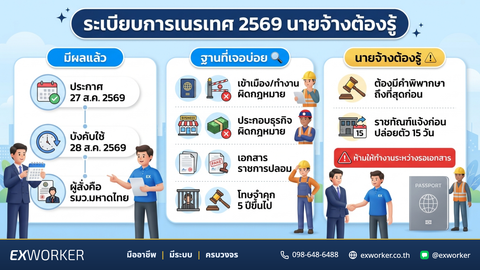
If your employee is in the grace period according to the Cabinet resolution, do not forget to check the submission deadline for that period, because correct information submitted late will also cause problems. See details at Migrant Worker Work Permit Renewal Must Be Submitted Before December 11, 2026
References and Update Date
- Department of Employment Contact Channels — Hotlines 1506 and 1694
- Exworker team's operational experience as a company bringing migrant workers to work in the country
Content Updated: August 20, 2026 — The procedures and screens of the e-Work Permit system may be updated. It is advisable to check with the provincial employment office in your area again before proceeding.
Comments
2 commentsค้นในระบบ e-Work Permit แล้วไม่พบข้อมูลลูกจ้าง ทั้งที่เพิ่งยื่นไปเมื่อเดือนที่แล้ว ต้องติดต่อที่ไหนครับ
สวัสดีค่ะ 😊 กรณีเพิ่งยื่นไปเมื่อเดือนที่แล้วแล้วยังไม่พบข้อมูล ลองไล่ตามนี้ก่อนค่ะ 1) **เช็กข้อมูลที่กรอก** — เลขหนังสือเดินทาง/เล่ม CI ชื่อ-นามสกุล และวันเดือนปีเกิด ต้องตรงกับที่ยื่นไว้ทุกตัวอักษร ผิดตัวเดียวระบบก็ไม่ขึ้นค่ะ 2) **ดูสถานะคำร้องจากหลักฐานการยื่น** — ถ้าคำร้องยังไม่สมบูรณ์หรืออยู่ระหว่างตรวจสอบ ข้อมูลจะยังไม่ปรากฏในระบบ 3) **โทรสายด่วนกรมการจัดหางาน 1506** เพื่อสอบถามสถานะ 4) **ติดต่อสำนักงานจัดหางานจังหวัด/กรุงเทพฯ ที่ยื่นเรื่องไว้โดยตรง** — เตรียมเลขที่คำร้อง ใบเสร็จ/หลักฐานการยื่น ชื่อลูกจ้าง เลขหนังสือเดินทาง และชื่อนายจ้างไปด้วย จะตรวจสอบได้เร็วขึ้นค่ะ ถ้าตรวจครบแล้วยังไม่พบ ส่งเลขที่คำร้องกับหลักฐานการยื่นมาทาง LINE @exworker ทีมงานช่วยตามเรื่องให้ได้ค่ะ
Leave a comment
Signed-in comments appear immediately — no review wait.
Every comment is reviewed before it appears.