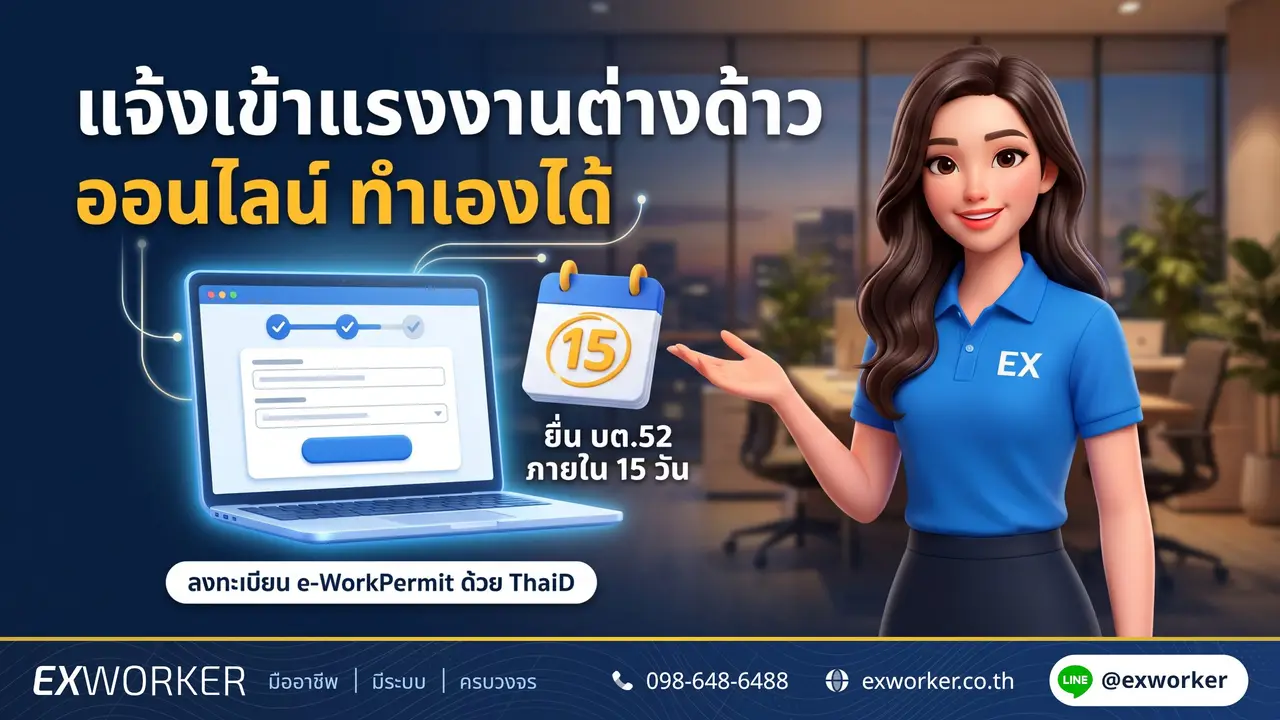
30-second summary: When you take on a migrant worker, the employer must "notify the employment" using form BT.52 (บต.52) within 15 days from the date of employment, and can do so online in the Department of Employment's e-WorkPermit system (eworkpermit.doe.go.th). The first step is for the business owner or authorized person to register an employer account and verify their identity with ThaiD or DGA Digital ID. Then choose the employment notification menu, fill in the worker's details, and keep the proof.
The employee also has a duty to notify starting work (BT.55 (บต.55)) within 15 days — each side must file its own form; one form does not cover both.
The Exworker team opened the registration page and menus of the e-WorkPermit system on 10 Nov 2026 and compared them with the Royal Ordinance on the Management of Foreign Workers' Employment and the Department of Employment Regulation on Notification B.E. 2564 (2021). This article covers only what we could verify; where the system's screens may change, we say plainly that you should check the in-system manual.
What is online entry notification for migrant workers, and who must file it?
"Notifying entry", as employers call it, is notifying the employment of a foreign worker to the Registrar under Section 13 paragraph one of the Royal Ordinance on the Management of Foreign Workers' Employment B.E. 2560 (2017) (as amended by No. 2, B.E. 2561 (2018)): whom you have taken on, their nationality, and the type of work.
Clause 4 of the Department of Employment Regulation B.E. 2564 (2021) states that the notification "may be made through an electronic system as specified by the Department of Employment". That system is e-WorkPermit, which has the menu "Notification of employment of a foreign worker with the employer, Section 13 paragraph one (form BT.52)" on the employer side.
Employer — BT.52
- Form: Notification of employment of a foreign worker
- When: Within 15 days from the date of employment
- Basis: Section 13 paragraph one
The worker — BT.55
- Form: Notification of a foreign worker starting work
- When: Within 15 days from starting work, every time they change employer
- Basis: Section 64/2
If you are looking for "exit notification" (BT.53) or want to know exactly how the 15 days are counted, read Entry and exit notification for migrant workers, BT.52/53: how to count 15 days.
Before you start: what to prepare
Most people get stuck not on the form itself, but on "who clicks the button" and "identity verification fails". Prepare these before opening the system:
- The person who registers for the first time must be the business owner or authorized person (for example, a company director with signing authority) — not an HR employee or a broker
- A phone with the ThaiD app installed and verified, or a DGA Digital ID account
- The business's taxpayer identification number / juristic person registration number
- Employee details: name, nationality, type of work, and identity document numbers (passport or substitute document / work permit)
- The actual start date of employment — because the 15 days are counted from this date
- The location of the employee's workplace (the notification is tied to the area where the employee works, not the employer's address)
The list of files the system asks you to attach may differ by worker group (MOU / Cabinet resolution). Check the actual screen or ask the 1694 hotline; do not guess from old video clips.
Step 1: Register an employer account in e-WorkPermit
The system's registration page has an "important note" that the first registration must be made by the business owner or an authorized person only, and if identity verification fails, you cannot use the system.
Go to eworkpermit.doe.go.th and choose the "Register" menu (6 languages available)
Select the user type Employer, then enter the taxpayer identification number / juristic person number as the screen requests
Verify your identity using one of the methods offered on the registration page: ThaiD (press "Scan" in the ThaiD app) or DGA Digital ID
After registering, use the "Log in" and "Manage account" menus to maintain the business details
The registration page we viewed showed the employer option for a juristic person. If you employ as an individual and cannot find an option that fits you, call the 1694 hotline before the 15 days are up; do not wait until close to the last day.
Cannot log in, or the password is still held by your previous broker? Specific fixes are in e-WorkPermit for migrant workers: common problems and fixes.
Can someone else do it for you? — Proxy accounts
Yes. The system has a "Manage proxy accounts" menu on the employer side and an "Accept invitation" menu for people who are added. The registration page states that proxies must verify their identity with ThaiD or DGA Digital ID before use, just like the business owner.
So the order starts with the business owner registering first, then adding a proxy (for example, HR or a company you hire), who must verify their own identity. The menu name "Accept invitation" indicates the proxy must accept first — for detailed steps, see the in-system manual after logging in.
What we want you to know before hiring anyone: notifying entry is not an application that needs connections. If you have only a few employees and the business owner can verify with ThaiD, you can do it yourself. Do not give the owner account's password to a broker — use the proxy system instead, because you can change the proxy later without having to chase for the password back.
Step 2: File BT.52 entry notification in the system, step by step
Date of employment the 15 days start
Write down the date the employee actually started work — used in the form and for counting the deadline
As soon as possible after hiring
Log in and choose the service "Notification of employment of a foreign worker with the employer, Section 13 paragraph one (form BT.52)"
Fill in the employee's details per the form — name, nationality and type of work, plus the workplace — then attach files as the screen requests
Check the name and document numbers one by one against the passport/work permit before submitting — a name spelled differently from the documents is one reason the system cannot find the record
Within 15 days from the date of employment
Submit the notification, then save the screen / reference number you receive in the employee's file
Within 5 days from when the official receives the form
Under clause 9 of the Regulation, the official must submit to the Registrar to acknowledge the notification and issue proof of receipt (form BT.56) — keep this proof together with the screenshot taken when you submitted
The system's screens change with versions; button or field names may not match clips you have seen. Check the in-system manual after logging in, or ask via the "Report a usage problem" menu / the system's Line OA / the 1694 hotline.
Not sure which form to file for this employee, or from which day to count the 15 days? Ask Nong Ex. Free answers, no registration needed.
The employee must also file BT.55 — the side employers often forget
Section 64/2 requires the foreign worker themselves to notify starting work within 15 days from starting work, and to notify every time they change employer. Not notifying is punishable by a fine of up to 20,000 baht (Section 119/1) — this is the employee's fine, but if they are fined, you are the one who loses time.
The employee can authorize someone else to file on their behalf. The end of form BT.55 lists the documents for authorization: a power of attorney with full stamp duty + a copy of the employee's passport (or substitute document) + the national ID card of the authorized person.
Within how many days must you notify, and in which area?
A person who employs a foreign worker must notify the Registrar within 15 days from the date of employment, and when the foreign worker leaves the job, must notify within 15 days from the date of leaving, stating the reason.
Royal Ordinance on the Management of Foreign Workers' Employment B.E. 2560 (2017), as amended (No. 2) B.E. 2561 (2018), Section 13 paragraph one · Royal Gazette Vol. 135, Part 19 Kor (27 Mar 2018)The law does not specify whether the first day is counted. The safe approach in every case is to notify as soon as possible after the employee starts work; do not wait until day 14–15.
If you must notify at an office, clause 4 of the Regulation requires notification in the area where the foreign worker's workplace is located — in Bangkok, the Bangkok Area Employment Office; in other provinces, the Provincial Employment Office — not the office near the employer's home.
Which entry cases use BT.52, and which are a different matter?
| Situation | What to use | Read more |
|---|---|---|
| Taking on a worker who already has a work permit | Employer files BT.52 + employee files BT.55 | This article |
| Taking on an employee moving from a previous employer | Previous employer notifies exit (BT.53) · you notify entry (BT.52) · employee files BT.55 and may need to apply to change details in the permit (BT.44) | Notify a change of employer for migrant workers online |
| MOU worker delivered by the importing company whom you do not take on, or who does not agree to work | File BT.54 within 7 days (Section 50) | Hiring new migrant workers: what employers must do |
| A foreigner stays in your accommodation | Not BT.52 — this is residence notification (TM.30) to Immigration | Residence notification for migrant workers |
Many people think that if the previous employer has not notified exit, the new employer cannot take the worker on — a letter from the Foreign Workers Administration Office confirms that the new employer does not need to wait for the exit notification from the previous employer to take the worker on. Notifying exit is the previous employer's duty (details in the entry–exit notification article).
Things you must never do
- Never ask for or fill in "form BT.13" — there is no such form. 13 is the section number; the employer's entry form is BT.52.
- Never let an employee or broker do the first employer-account registration for you — the system requires the business owner or an authorized person. Use proxy accounts for others.
- Never give the business owner's password/ThaiD to anyone else — changing the proxy later becomes hard, and every notification will be in your name.
- Never assume that filing TM.30 or the 90-day report counts as notifying entry — different laws, different agencies (the 90-day report is an Immigration matter).
- Never keep the employee's passport or card "for convenience when notifying" — copies and the document numbers are enough.
If you have made a mistake, what should you do?
Not notifying the employment within 15 days is punishable by a fine of up to 20,000 baht under Section 103, which can be settled by a settlement fine under Section 133 — even past the deadline you must still notify; do not leave it pending.
More than 15 days have passed
Notify as soon as you realize; do not wait for an official to find it. Then contact the Employment Office for the area of the workplace or the 1694 hotline about the settlement fine — an overview of other employer penalties is in Penalties for employers hiring workers illegally.
Cannot access the system, or cannot find the employee's record
Keep screenshots of the error with the date and time as proof that you tried to notify within the deadline. Report the problem via the "Report a usage problem" menu and contact the local Employment Office immediately. If the system says the worker's data is not found, see how to trace the cause in Data not found in e-Work Permit: how to fix it.
ThaiD identity verification fails
The registration page clearly states that if identity verification fails you cannot use the system. Try the other method (DGA Digital ID) or have another authorized person of the business register. If it still does not work, call 1694 before the deadline.
If your case involves several issues at once (for example, the employee moved from a previous employer who has not notified exit, and the permit is close to expiring), see what we can handle for you at Entry–exit notification service for migrant workers or Change of employer service.
Checklist after notifying entry
- A screenshot/reference number of the BT.52 notification is kept in the employee's file
- The employee has filed their own BT.55 (or authorized someone to file it)
- If they moved from a previous employer, you know whether you must apply to change details in the permit
- The employee's work permit and visa expiry dates are in your calendar
- You know that when the employee leaves, you must notify exit (BT.53) within 15 days as well
Frequently asked questions
Do I need ThaiD to notify entry of migrant workers online?
The e-WorkPermit registration page requires identity verification with either ThaiD or DGA Digital ID, and if verification fails you cannot use the system. Proxies must also verify their identity.
Can HR register the employer account instead of the owner?
The first registration must be made by the business owner or an authorized person. After that, HR can be added as a proxy through the "Manage proxy accounts" menu.
Is there a fee for notifying entry?
The Ministerial Regulation on fees B.E. 2563 (2020) lists fees for "applications" but has no separate item for "notifications". If the system charges money at any step, check whether it is for another application filed alongside (such as changing details in the permit) and confirm with your local Employment Office.
After notifying entry, how many days until it is acknowledged?
Clause 9 of the 2021 Regulation requires the official to submit to the Registrar to acknowledge the notification within 5 days of receiving the form, and to issue proof of receipt (BT.56) to the person notifying.
Can an individual employer (no registered company) notify online?
The registration page we checked showed the juristic-person employer option. We cannot yet confirm whether there is a channel for individuals on the same page. Ask the 1694 hotline before proceeding, and do not let the 15-day deadline pass.
When taking on an employee who changed employer, what must be notified?
You notify the employment (BT.52), the previous employer notifies exit (BT.53), the employee notifies starting work (BT.55), and the Department of Employment uses form BT.44 for changing or adding an employer in the work permit. The full order is in Notify a change of employer for migrant workers online.
Do I need to do both e-WorkPermit and TM.30?
If the employee stays in your accommodation, yes — the employment notification (BT.52) is filed with the Department of Employment, while TM.30 is residence notification to Immigration. Different laws; one cannot replace the other.
References
- Royal Ordinance on the Management of Foreign Workers' Employment B.E. 2560 (2017), as amended by (No. 2) B.E. 2561 (2018) — Royal Gazette Vol. 135, Part 19 Kor (27 Mar 2018), Sections 13, 50, 64/2, 103, 119/1, 133
- Department of Employment Regulation on Notification and Receipt of Notification of Foreign Workers' Employment B.E. 2564 (2021) — Royal Gazette Vol. 138, Special Part 229 Ngor (23 Sep 2021), clauses 4, 5, 8, 9
- Ministerial Regulation on Applying for Work Permits, Issuing Work Permits and Notifying the Work of Foreign Workers B.E. 2563 (2020) — Royal Gazette Vol. 137, Part 69 Kor (31 Aug 2020), clause 3
- Ministerial Regulation Prescribing Fees and Fee Exemptions for the Management of Foreign Workers' Employment B.E. 2563 (2020), clause 2
- e-WorkPermit system, Department of Employment (eworkpermit.doe.go.th), home page and registration page — checked 10 Nov 2026
- Download page for forms BT.52–55, Foreign Workers Administration Office, Department of Employment (doe.go.th)
- Department of Employment hotline 1694 · Ministry of Labour hotline 1506 press 2
Information updated: 10 November 2026 · e-WorkPermit screens may change with versions; check with your local Employment Office before proceeding.




Comments
0 commentsNo comments yet
Leave a comment
Every comment is reviewed before it appears.